Step 1
Go to website www.globecapital.com
Go to website www.globecapital.com
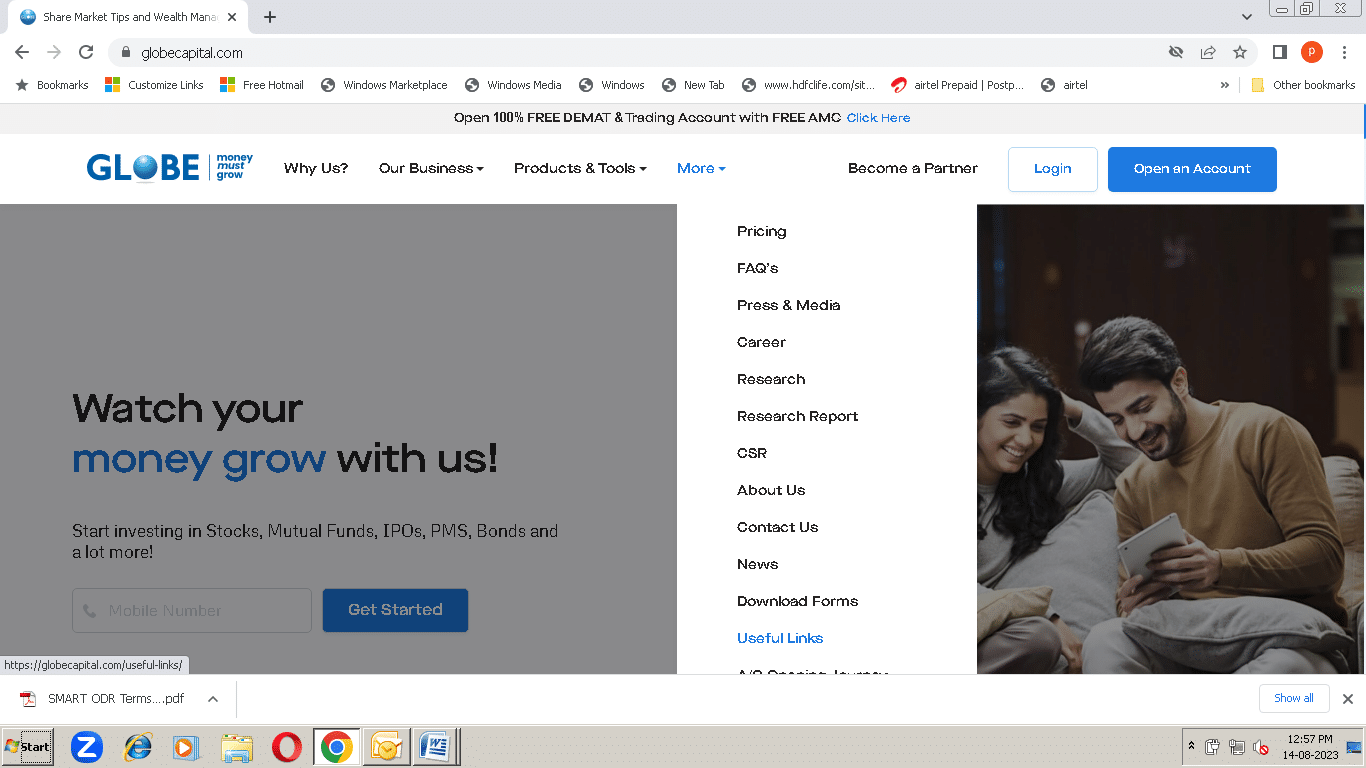
Go to more tab and scroll down ,Click on useful links

Begin by launching your preferred web browser and clicking on the following link to access the Complaint Tracking Portal.
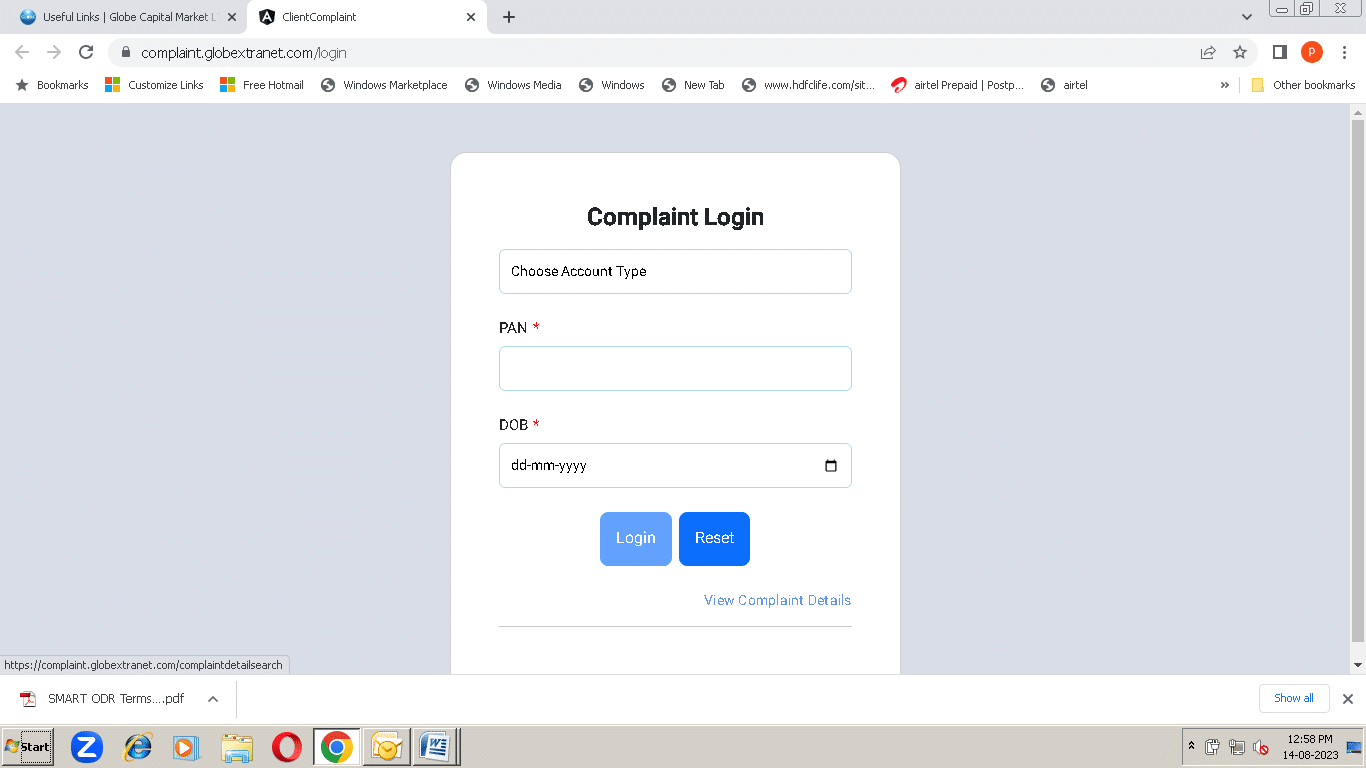
Upon accessing the provided link, you will be directed to the login page, which will appear as follows:
Within this page, you will need to enter the complaint number and your Unique Client Code (UCC), PAN card number, registered email ID, or registered mobile number.
After entering the reference details, click on “Search” button.
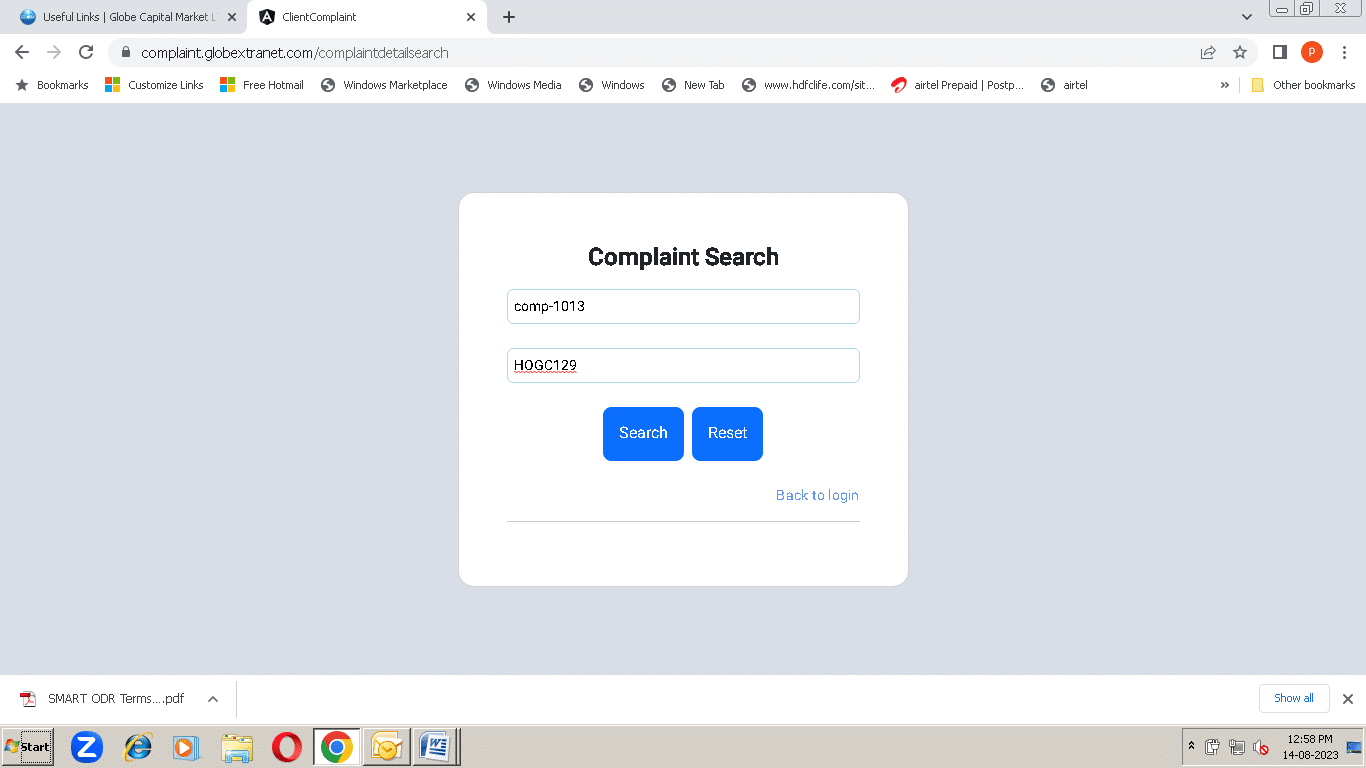
The portal will show you what’s happening with your complaint. It could be under discussion or solved.

By clicking on view details, you will be able to get more info about your complaint’s information which you filled in the initial phase of registration.
Verifying the status of your registered complaint through the Globe portal is a crucial stride towards ensuring the attention your concerns deserve. Adhering to the steps detailed in this guide empowers you to conveniently access your complaint’s current status, stay well-informed about its progress, and cultivate a deeper comprehension of the resolution journey.
Globe Capital highly regards you as a valued customer and deeply appreciates your trust in our services.
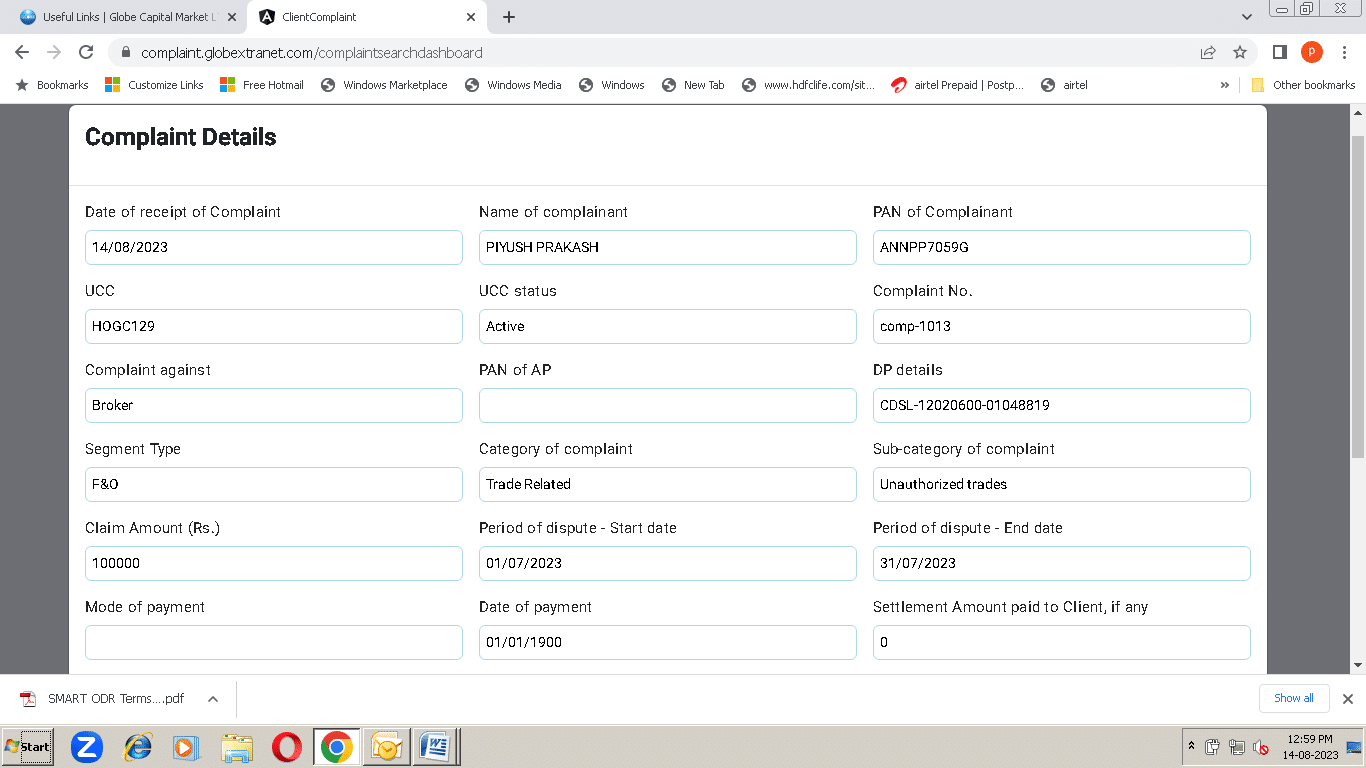
Complete details of registered complaint gets opened
Registered complaint