Basket Order Feature : Simplifying Stock Trading on the Globe App
Imagine you’re a trader who usually keeps an eye on four or five specific stocks. You believe that the market is currently risky and overvalued, so trading at this moment doesn’t seem like a smart idea. Instead, you decide to wait patiently for the right time and the right prices.
Then, one day, something unexpected happens, and the market takes a sudden dip due to uncertain events. It’s the moment you’ve been waiting for â a great opportunity! You quickly start checking the prices of the stocks on your watchlist one by one. After careful analysis, you realize that the stocks you’ve been eyeing are now within the price range you’re comfortable with.
Excited and a bit nervous, you begin placing orders for each stock. You carefully enter the quantity you want to buy for each of them. As you’re doing this, you can’t help but feel a little anxious, hoping that the prices won’t suddenly rise before you finish placing all your orders.
Just as you’re almost done, you suddenly realize that you missed one stock on your list. You’re a bit frustrated with yourself because in the few moments it took you to place the other orders, the market started to recover. You realize that you missed out on a really good buying opportunity.
It’s a feeling of annoyance and regret, knowing that you could have made a great move if you had been a little quicker and more organized.
At Globe, we understand the world of trading and our top priority is to make sure that all our users have the easiest, smoothest and error free experience when they want to trade or invest in the markets. That’s why we’re always working hard to introduce new and helpful features in our Globe Trade Pro app.
We have recently introduced Basket order in our app. Baske order helps our user to group multiple stock transactions into a single “basket” and execute them all at once. This basket order gives user the convenience to either buy or sell stocks in one click. It’s like trading on autopilot, but with the control firmly in your hands.
Simplified Order Execution
Let’s understand how this feature works:
Open your Globe Pro Trade app and go to orders. You will see two types of orders: – Regular and Basket orders. Choose basket orders.
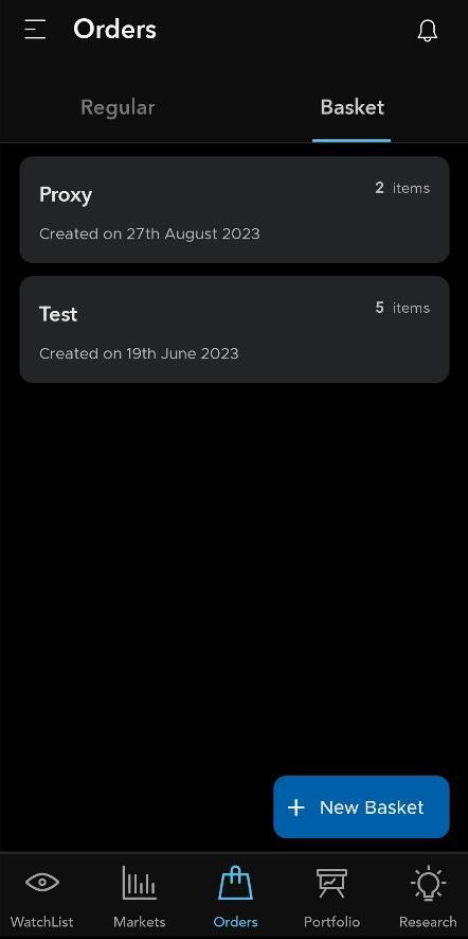
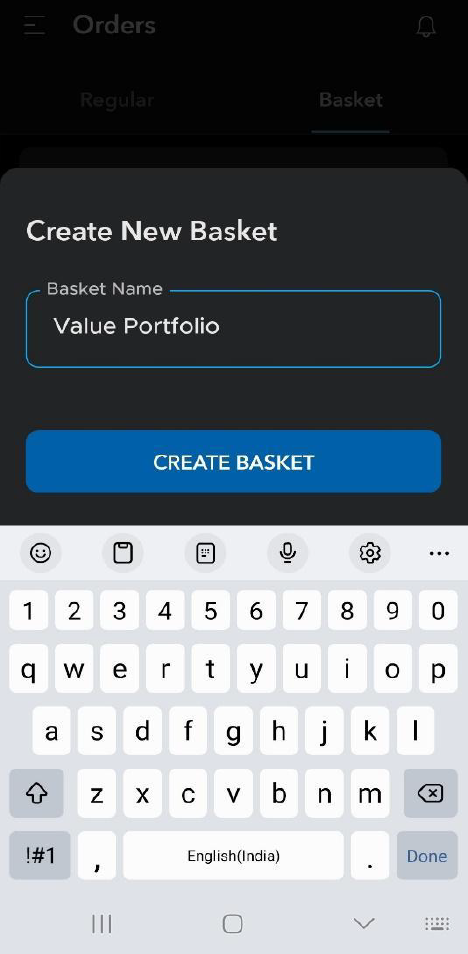
Click on new basket and type the name of your Basket.
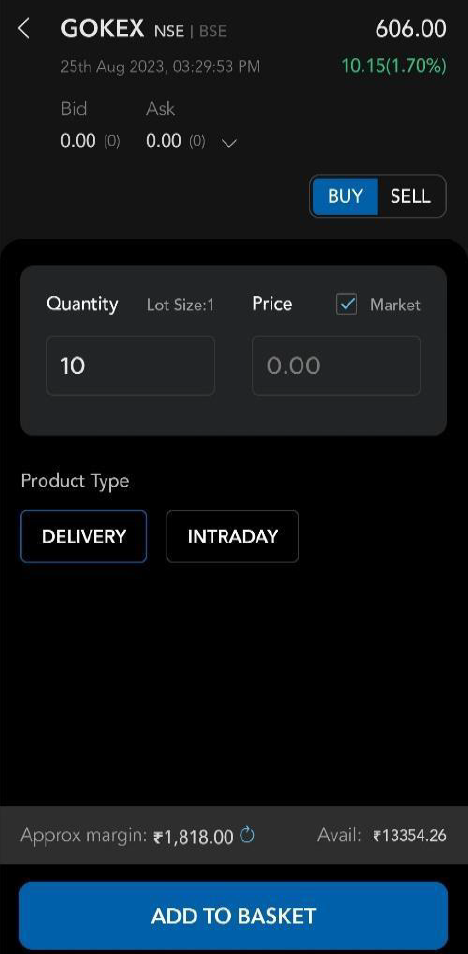
As you research and identify stocks you want to trade; you add them to your basket. You can choose the quantity and the price you wish the trade to execute.

Once you’ve added all your desired stocks, you can review the basket and adjust quantities or remove stocks if needed by pressing the edit option.
With your basket ready, you can execute all the trades in the basket by just clicking âÂÂExecuteâ and then see the magic happen. You can then go in the orders tab and see your pending and executed trades.
The Basket Order feature on the Globe Trade Pro app transforms stock trading into a smoother, more efficient endeavour. So, whether you’re a seasoned trader or just starting, the Basket Order feature can be your ticket to a more organized and productive trading journey.
Happy Trading!
If you haven’t already downloaded our Globe Trade Pro app, please click on the links below:
For Android users, please download the app here.
For Apple users, please download the app here.